Phone rings. Cab’s on the way.
CDS is the cab dispatch system for UK minicab and private hire offices. Take the booking, price it, send a driver and text the passenger, all in your web browser.
- Runs in your browser, nothing to install
- Uses your own SMS and email
- Serving UK offices since 2010
Real screens, sample data.
From call to cab, in one taxi booking and dispatch system
Every job runs the same way, whether the passenger rings, books online or is one of your account customers.
-
1
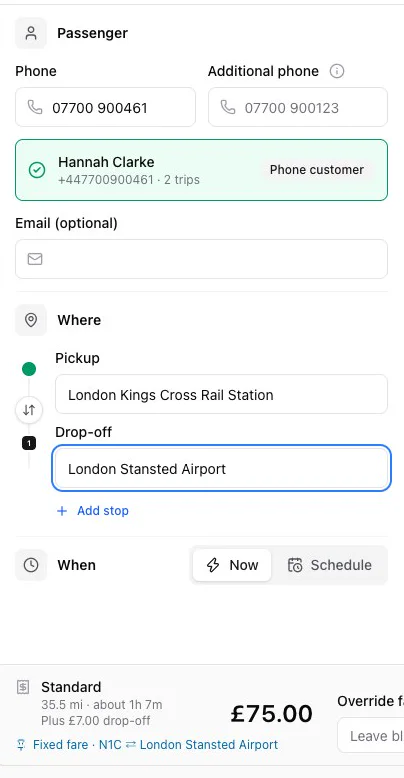
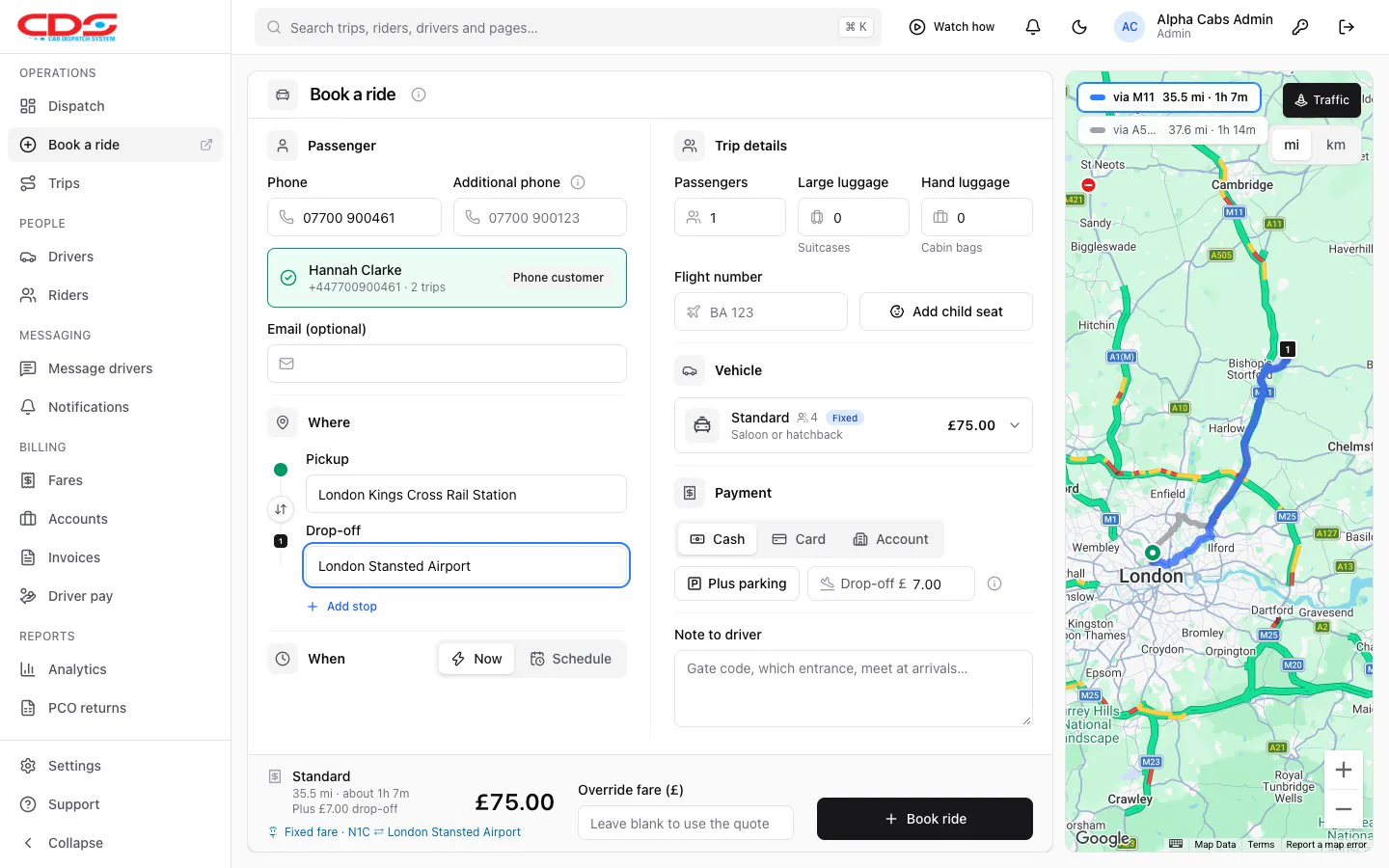
Book it while they’re on the phone
Type the caller’s number and CDS finds them. Pick the pickup and drop-off and the route appears on the map with live traffic. The price comes from your own fixed fares or mileage rates.
- Returning customers found by phone number
- Luggage, baby, child and booster seats, flight number
- Book now, or schedule it for later
-
2
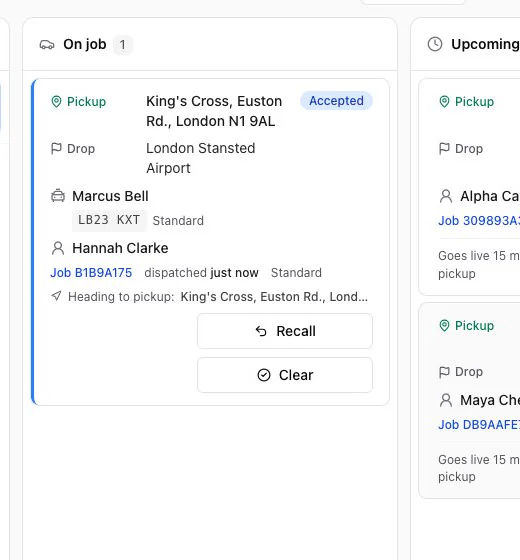
Send a driver from the board
Upcoming jobs, drivers waiting in the queue and drivers on a job, side by side. Choose a driver and click Assign. Only drivers whose vehicle can take the booking are offered.
- Drivers queue as they call in free
- Scheduled jobs go live before pickup
- Recall a job, or mark it finished
-
3
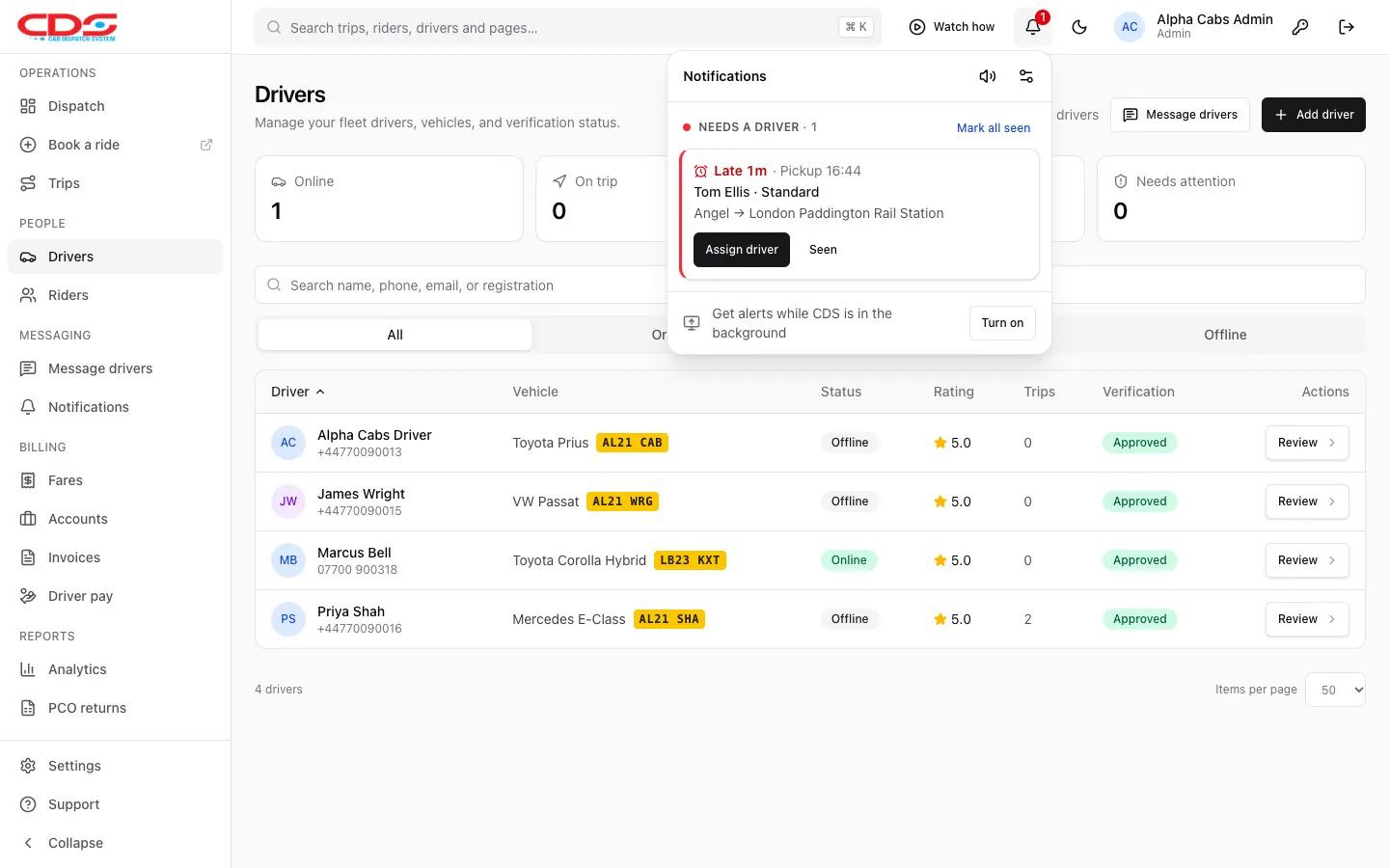
Everyone hears about it, nothing goes late
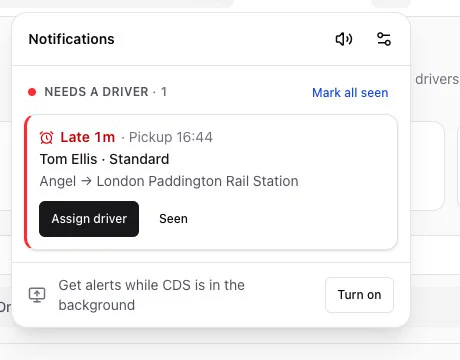
The passenger gets a text in your office’s own words, with a link showing the driver’s photo and car. The driver gets the job by text. If a job has nobody on it, CDS rings a chime, says it out loud and shows it in the bell.
- Booking confirmed, driver on the way, driver arriving, receipt
- Customer replies land in your inbox
- Late-job alerts as banners, sound, voice and desktop notifications
-
4
Settle up at the end of the week
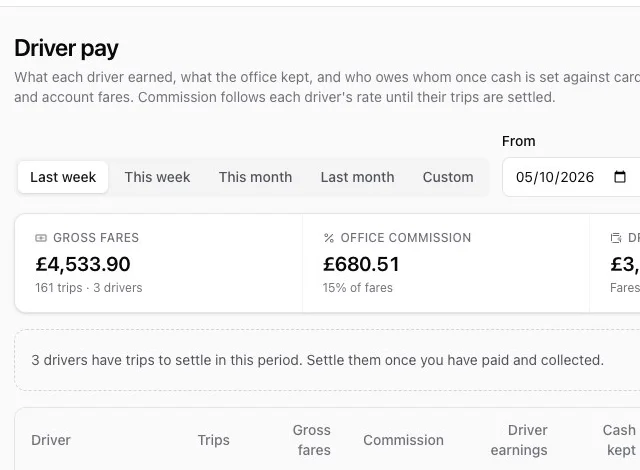
Driver pay works out what each driver earned, what the office kept and who owes whom once cash is set against card and account fares. Settle it, print the statement or text and email it.
- Commission per driver or office-wide
- Statements sent every Monday if you like
- Account invoices with VAT, and the TfL weekly return


See a whole job in 30 seconds
One phone call, start to finish: take the booking, set the route and fixed fare on the map, assign a driver on the live board, and the passenger gets a text. Then the rest of the office: online booking, a grid of fixed fares, late-job alerts and driver pay.
Everything a minicab office runs on
The jobs between the phone calls are in CDS too: prices, online bookings, texts, accounts, drivers’ paperwork and the numbers at the end of the month.
Fixed fares by postcode and place
Price airports, stations and postcode districts in one grid, paste from a spreadsheet, and let mileage rates cover the rest.
Fixed fares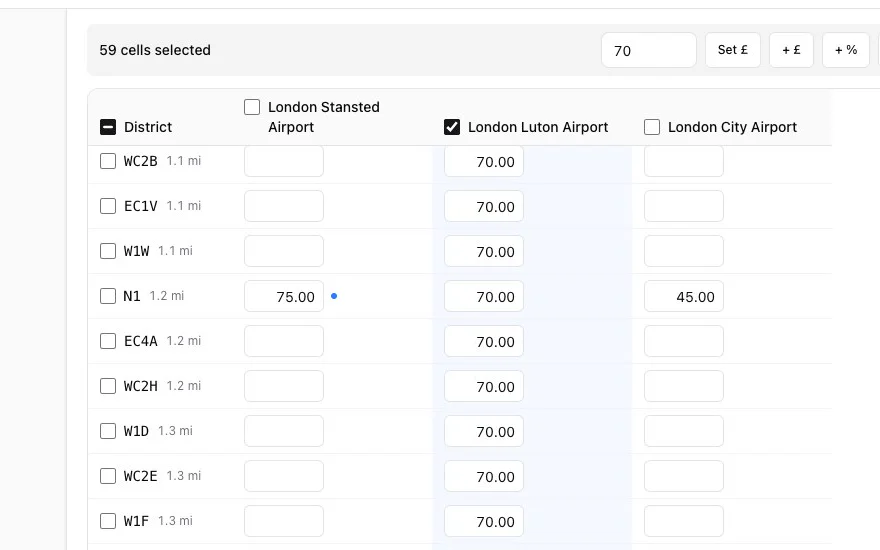
Bookings from your own website
A booking page in your name and colours. Customers confirm their mobile with a texted code and the job lands on your board marked Web.
Online booking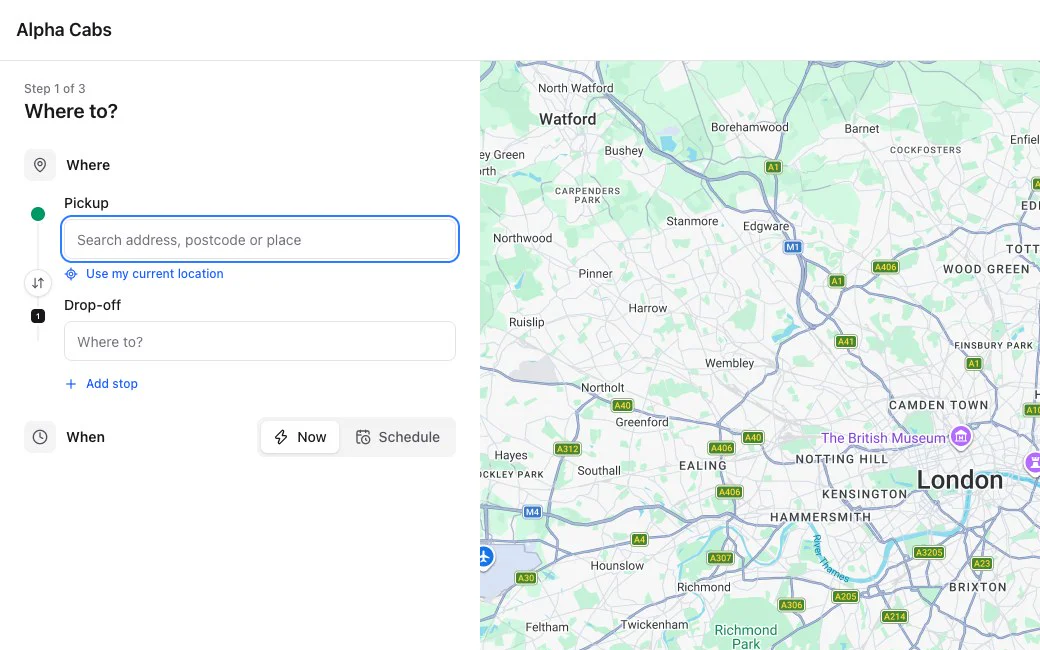
Caller ID
See who’s ringing and whether they’ve booked before. The card stays after the call, so whoever answered can still book it.
Caller IDTexts and emails
Edit every message, read customers’ replies and block numbers that shouldn’t get texts.
Texts and emails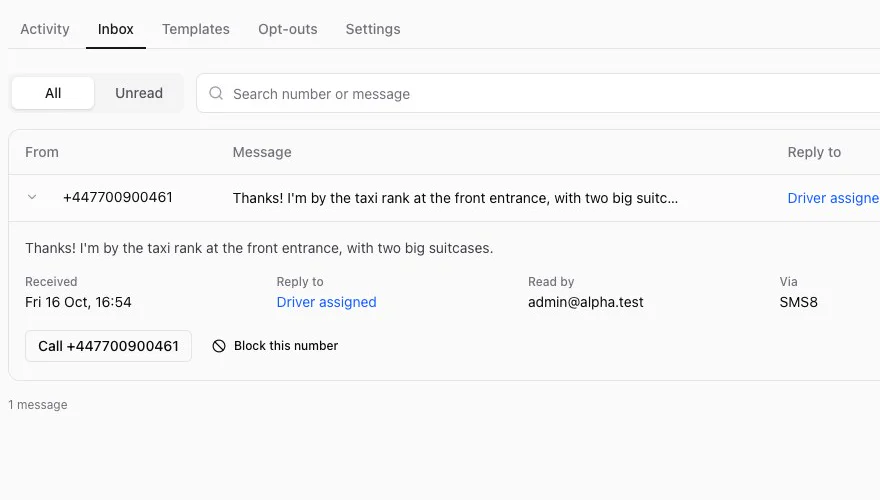
TfL PCO returns
The weekly driver and vehicle files TfL asks London operators for, ticked and ready to upload.
PCO returns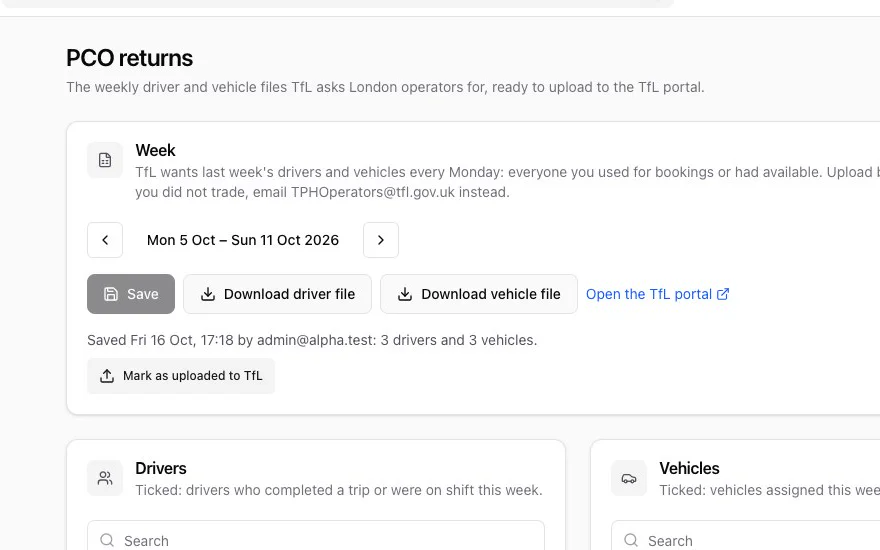
Accounts and invoices
Business customers book on account at their own rates. Invoice them monthly with VAT, numbered with no gaps, and mark them paid.
- Fare · Kings Cross to Stansted£75.00
- Drop-off charge · Stansted Airport£7.00
- VAT 20% on fares£15.00
Analytics
Trips, revenue, commission and cancellations by hour, day or month, compared with the period before, and drivers side by side.
Reports and paperwork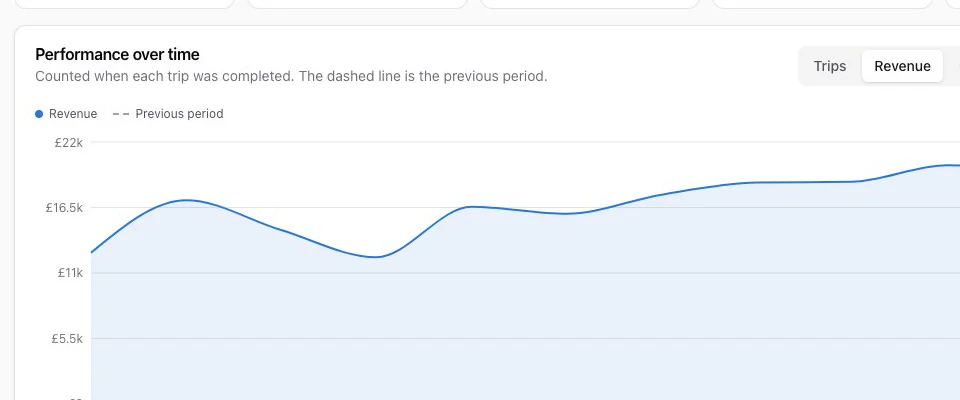
Real CDS screens with sample data.
Made for the way UK offices work
CDS is built in London for British minicab and private hire operators.
- Postcode faresFixed prices to a full postcode, a sector, a district or a whole area. The most specific match wins.
- Airports and stationsUK airports and terminals, National Rail stations, and 270 London Underground and 45 DLR stations, ready to add.
- TfL weekly returnsThe two CSV files TfL wants every Monday, built from who actually worked.
- Miles, pounds and VATDistances in miles, fares in pounds, VAT on invoices, drop-off and parking charges passed on at cost.
Works with what you already have
No hardware to buy and no new phone system. CDS connects to the services your office uses, and you keep the accounts.
Text messages
Send from a spare Android phone with the free SMS Gateway for Android app, or use SMS8, The SMS Works or Twilio.
Trip emails from your own address through Gmail, Microsoft 365, Brevo, Amazon SES or any SMTP account. Replies come back to you.
Phone lines
Caller ID through an extra SIP extension from providers such as Soho66, Onsim or Virgin Media O2 Business. Up to 6 lines.
Maps
Google Maps routes with live traffic and alternative routes. Your office can have its own Google key, so map billing is in your name.
Your website
Link to your booking page or add a booking button with one line of code your web designer can paste.
Any computer
CDS runs in a modern browser on Windows, Mac or a tablet. Book on one screen and watch the board on another.
Driver and SMS apps
Downloads for offices on CDS Desktop, and the free app that turns an Android phone into your text gateway.
CDS Driver app
CDS Driver for Android and iPhone works with CDS Desktop. It’s free, with no limit on drivers.
In the cloud system, drivers get their jobs by text today, and the cloud driver app is on its way.


Send texts from an Android phone
SMS Gateway for Android sends your office’s texts from a phone and SIM you already pay for. Cloud offices connect it under Notifications, where CDS walks you through it. CDS Desktop offices use the app’s local server mode.
Simple pricing, sized to your fleet
One plan with everything in it. The price depends on how many drivers you have, so a 10-car office doesn’t pay for 100.
Everything included
Priced by the number of drivers in your office. Tell us your fleet size and we’ll send a quote.
- Book a ride and the dispatch board
- Fixed fares, mileage rates and fare grid
- Online booking page and widget
- Caller ID on up to 6 lines
- Editable texts and HTML emails
- Customer inbox, opt-outs and campaigns
- Accounts and VAT invoices
- Driver pay and statements
- Driver documents and reminders
- TfL PCO weekly returns
- Analytics
- Logins for your dispatchers and admins
Getting started
- Tell us about your officeFill in the form or message us on WhatsApp. We’ll show you CDS on a call.
- We set it up with youWe create your office, then a 30-minute screen-share connects your SMS and email.
- Add drivers and faresAdd your drivers, vehicles, places and prices, and start taking bookings. The how-to videos cover every step.
You pay your SMS provider for texts directly. With an Android phone and SIM plan, that can be what you already pay.
Questions offices ask
More answers on the FAQ page, or ask us directly.
Do I need to install anything?
No. CDS is a cloud system: you sign in at app.cabdispatchsystem.com in a modern browser on any computer or tablet. Updates arrive without you doing anything.
How do my drivers get their jobs?
When you assign a job, CDS texts the driver the pickup, drop-off, passenger, luggage and fare. If the job changes or you take it back, they get a text about that too. The cloud driver app is on its way.
Can I keep my fixed airport prices?
Yes. Add your airports, stations and other places, then set prices to postcodes, sectors, districts or whole areas, one by one or in the fare grid. Anything without a fixed fare is priced by your mileage rates.
Does CDS do the TfL weekly return?
CDS builds the two CSV files TfL asks London operators for every Monday, from the drivers and vehicles that worked that week. TfL has no way for software to upload them, so you upload the files on the TfL portal yourself.
Can customers pay online?
Not yet. Customers pay the driver by cash or card, or the trip goes on their company account and you invoice it.
Book a demo
Tell us a little about your office and we’ll show you CDS on a call. Or message us now.